Why one good photo is enough
Not long ago a shop needed a photographer, a light tent and a free afternoon to get usable product photos. Now an AI image model can take one clean photo of your product and put it on a white studio background, on a kitchen counter, in someone’s hand or into an ad layout with a headline. The photo is the part you still have to get right yourself. If the input is blurry, badly lit or cluttered, every version the AI makes inherits those problems.
This guide shows how to take that one photo, what to ask the AI for, which model to pick and how to check the result, so you never show buyers something the product is not.
How to take the one good phone photo
Any phone from the last few years is enough. What matters is light, background and a clean product.
- Light. Shoot in daylight next to a window, with the window to the side of the product, not behind it. Turn off the ceiling light so you do not mix two colors of light. No flash.
- Background. A plain surface with nothing else in the frame: a white sheet of paper, a clean table, a wall. The AI will replace the background anyway, but it needs to see clearly where the product ends.
- Angle. Shoot at the height of the product, slightly from above, the way a customer would look at it on a shelf. Keep the whole product in the frame with some space around it.
- Clean product. Wipe fingerprints and dust, straighten the label, remove price stickers and shipping film. The AI copies what it sees, including smudges.
- Label readable. The front label should face the camera and be sharp. Tap the product on the screen to set the focus, then hold still.
- Several shots. Take five or six and pick the sharpest one. If the product has a clear front and back, take one of each.
Checklist before you upload:
- Product is sharp, no motion blur.
- Label faces the camera and can be read.
- Colors are true: compare the screen with the product in your hand.
- Nothing else in the frame except the product and a plain surface.
- Some empty space around the product on all sides.
- The file is the original from the camera, not a screenshot or a compressed copy from a chat app.
What AI can do with that photo
Once you have the photo, the AI keeps your product and changes everything around it. The most useful jobs for a shop:
- New backgrounds. Studio white for the product page, a colored backdrop for a collection, a wooden table for a more natural look.
- Lifestyle scenes. The product on a kitchen counter, a bathroom shelf, a desk or a picnic blanket, with light and shadows that match the scene.
- Seasonal versions. The same product with pine branches and soft snow for December, with tulips for spring, with sunglasses and sand for summer. One photo becomes a year of campaign images.
- Hand and person shots. Someone holding the product or using it, which makes the size and the use clear.
- Ad layouts with text. The product in a composition with a headline, a short offer line and room for your logo.
- Short video. Image to video models can animate the photo: a slow turn, a hand picking the product up, steam rising from a cup. See the Video Creator.
Which model for what
Image models have different strengths. Here is a simple way to choose in Longneckhorse. These are tendencies, not guarantees, and the result still depends on your photo and your prompt.
| Job | Try first | Why |
|---|---|---|
| Many versions of the same product | Nano Banana Pro | Good at keeping the uploaded product the same from image to image, so a set of scenes looks like one product. |
| Ad with a headline or price in the image | GPT Image 2 | Among the best at rendering readable text inside the picture. |
| Photorealistic lifestyle scene | FLUX 3 Image | Strong on realistic light, surfaces and shadows. |
| Flat graphic or illustrated style | Recraft V4.1 Pro or Ideogram 4.5 | Made for graphic and poster looks rather than photos. |
| Quick tries while you test ideas | Any model with a low credit cost | The creator shows the credit cost before you generate. |
A good routine: try ideas with a cheaper model, pick the scene that works, then make the final version with the model that suits the job.
Example prompts
Describe the scene, the light and the camera, and say clearly that the product itself must not change. Here are prompts you can copy and adapt. Replace "the uploaded product" with what it is, for example "the uploaded brown glass serum bottle".
Studio product photo of the uploaded product on a pure white background, soft even lighting, a light shadow under the product, centered, sharp focus, keep the product, label and colors exactly as in the reference photo.The uploaded product standing on a light oak kitchen counter in the morning, soft window light from the left, a ceramic cup and a linen cloth slightly out of focus in the background, realistic photo, keep the product unchanged.Flat lay from directly above on a pale beige surface, the uploaded product in the center, a few eucalyptus leaves and a small wooden tray arranged around it, natural daylight, soft shadows, keep the product label readable.Winter seasonal photo of the uploaded product on a dark wooden table, pine branches, a few pinecones and warm blurred lights in the background, cozy mood, keep the product exactly as in the reference.Close-up of a woman’s hand holding the uploaded product toward the camera, neutral nails, blurred living room background, natural light, realistic skin, the product keeps the same size, shape and color as in the reference.Vertical ad image 9:16, the uploaded product centered on a soft sage green background, bold headline "Skin that feels calm" at the top in a clean sans serif font, a small line "Free shipping over 50€" under it, leave the bottom third empty.Square image for a product page, the uploaded product on a bathroom shelf next to a folded white towel, bright clean light, white tiles behind, product shown from the front, label sharp and readable.Summer version of the uploaded product on a sunlit terrace table, soft shadows from leaves, a glass of water with lemon slightly behind it, bright and fresh, keep the product unchanged.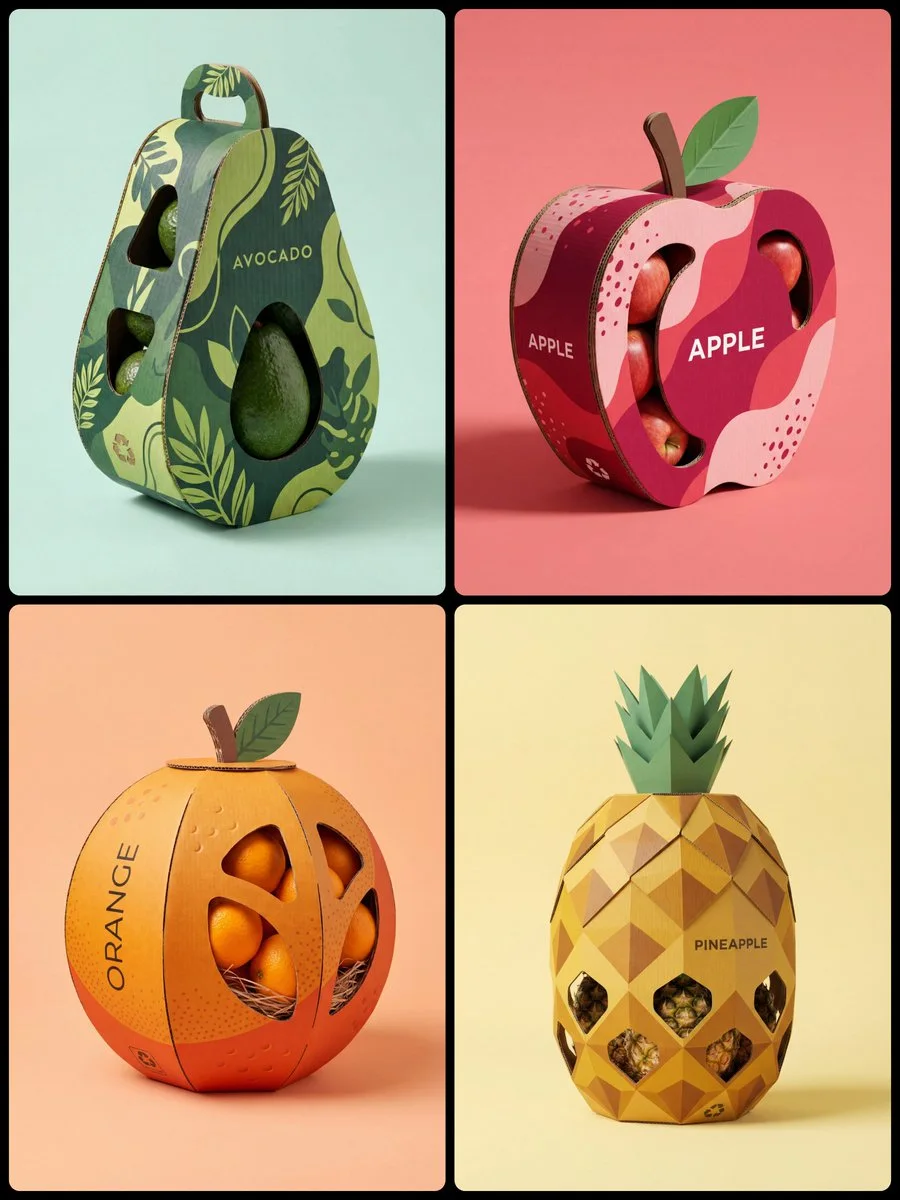 Made with AI
Check the result before you use it
Check every image before you use it. Open it next to the real product and go through this list:
- Label and text. Every word on the label should be the real word. AI often rewrites small text into something that looks like letters but is not.
- Logo. Same shape, same colors, same position on the product.
- Shape and proportions. A bottle should not get taller or rounder. A box should keep its corners.
- Colors. Compare with the product in daylight. A warm scene can pull the whole product toward orange.
- Count and parts. One pump, one cap, two straps: the same as the real item.
- Nothing invented. The AI may add a feature the product does not have: a spout, a second button, a display. If the image shows something the real product cannot do, do not use it. That misleads buyers and leads to returns and complaints.
If something is off, the fix is usually one of three things: a cleaner input photo, a line in the prompt that says what must stay the same, or a different model.
Product page or ad: use the right version
The same scene can serve two different jobs, but the format and the content differ.
| Product page | Ads | |
|---|---|---|
| Format | 1:1 square, or what your shop theme uses | 4:5 for Feed, 9:16 for Stories and Reels |
| Background | Studio white or a quiet lifestyle scene | A scene that stops the scroll, often with a headline |
| Text in the image | None, the page has its own text | A short headline, offer or benefit |
| Must match the product | Yes, exactly | Yes, exactly |
For ad formats and safe zones, see Meta ad sizes. In short: make a 4:5 version for Feed and a 9:16 version for Stories and Reels, and keep text and the product away from the bottom third of the 9:16 version.
For the product page, keep the main image simple: the product on white, sharp, label readable. Use lifestyle scenes as the second and third images. That is what buyers expect, and it is also what many marketplaces require.
Honest limits
AI product photos are good enough for most shops today, but some things still go wrong often:
- Fine text on labels. Ingredient lists, small print and barcodes often come out garbled. Crop so the small text is not the focus, or use the real photo for close-ups.
- Transparent and reflective products. Glass, clear plastic, metal and jewelry pick up the new scene in their reflections, and the AI may get this wrong. Check these carefully.
- Hands and people. Fingers, grip and scale can look off. Make several versions and pick the natural one.
- Very specific patterns. Fabric prints, knitted textures and engraved details may get simplified.
- Exact size. The AI does not know your product is 30 ml. If size matters, put a familiar object next to it in the prompt.
When a product is hard for the AI, use the AI image for the scene and the mood, and keep a real photo for the detail shots.
Doing it in Longneckhorse
Open the Image Creator, upload your phone photo, write the prompt and pick a model. Choose 4:5, 1:1 or 9:16 before you generate; the credit cost is shown first. When the image is right, publish it on Meta Ads from the same screen, where you pick the budget and audience and press Publish, or post it to your Facebook Page and Instagram account. The free plan includes 300 credits a month with no card, so you can test with your own products before you pay.